

Ever wonder what your furry friend is up to when you’re not home? It’s a common thought for pet parents. The good news is, technology has come a long way, and now you can stay connected with your dog even when you’re out. A dog treat dispensing camera like the SKYMEE Petalk AI II is a pretty cool gadget that lets you watch, talk to, and even give treats to your pup from anywhere. It’s like being there without actually being there. This article will go over all the neat things this camera can do and why it might be a good fit for your home.
Contents
Key Takeaways
- The SKYMEE Petalk AI II is a dog treat dispensing camera that lets you see and interact with your pet remotely.
- It has cool features like HD video, two-way audio, and night vision, so you can check on your dog anytime.
- You can toss treats to your dog using the camera, which is a fun way to keep them happy and engaged when you’re not around.
- The camera connects to your home WiFi, making it easy to set up and use from your phone.
- Using a dog treat dispensing camera can help ease your dog’s separation anxiety and let you reward good behavior from afar.
Unveiling the SKYMEE Petalk AI II Dog Treat Dispensing Camera
The SKYMEE Petalk AI II is more than just a camera; it’s a comprehensive system designed to keep you connected with your furry friend, even when you’re miles away. It combines the functionality of a pet monitor with the fun of a treat dispenser, all controlled from your smartphone. Let’s take a closer look at what makes this device a standout in the world of pet tech.
Key Features of the SKYMEE Dog Treat Dispensing Camera
The SKYMEE Petalk AI II is packed with features aimed at enhancing pet monitoring and interaction. It boasts a 1080P Full HD camera, ensuring clear visuals of your pet’s activities. The device also includes two-way audio, night vision, and motion detection. Here’s a quick rundown:
- 1080P Full HD Camera
- Two-Way Audio
- Night Vision
- Motion Detection
- Treat Dispensing
Advanced Petalk AI for Smart Monitoring
What sets the SKYMEE Petalk AI II apart is its Petalk AI technology. This feature allows the camera to intelligently detect and analyze your pet’s behavior. It can send you notifications when your dog is barking, moving around, or even just looking cute. This smart monitoring helps you stay informed about your pet’s well-being and activities throughout the day.
The Petalk AI feature is a game-changer. It’s not just about seeing what your pet is doing; it’s about understanding their behavior and responding accordingly. This level of insight can be incredibly helpful for managing separation anxiety or identifying potential health issues early on.
High-Definition Video and Wide-Angle View
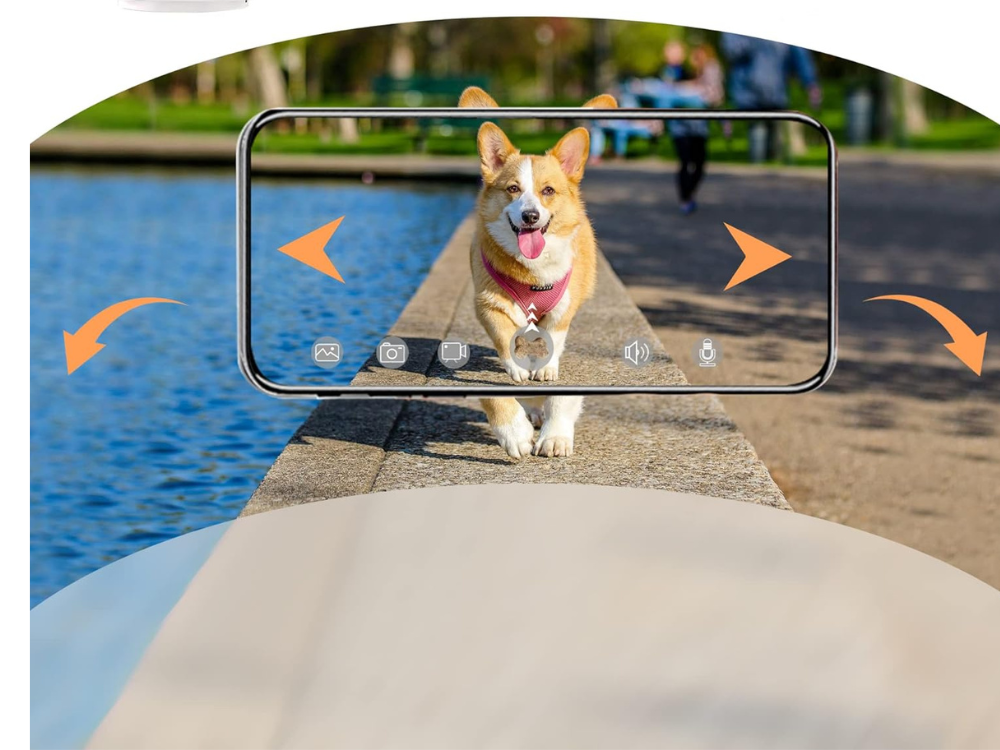
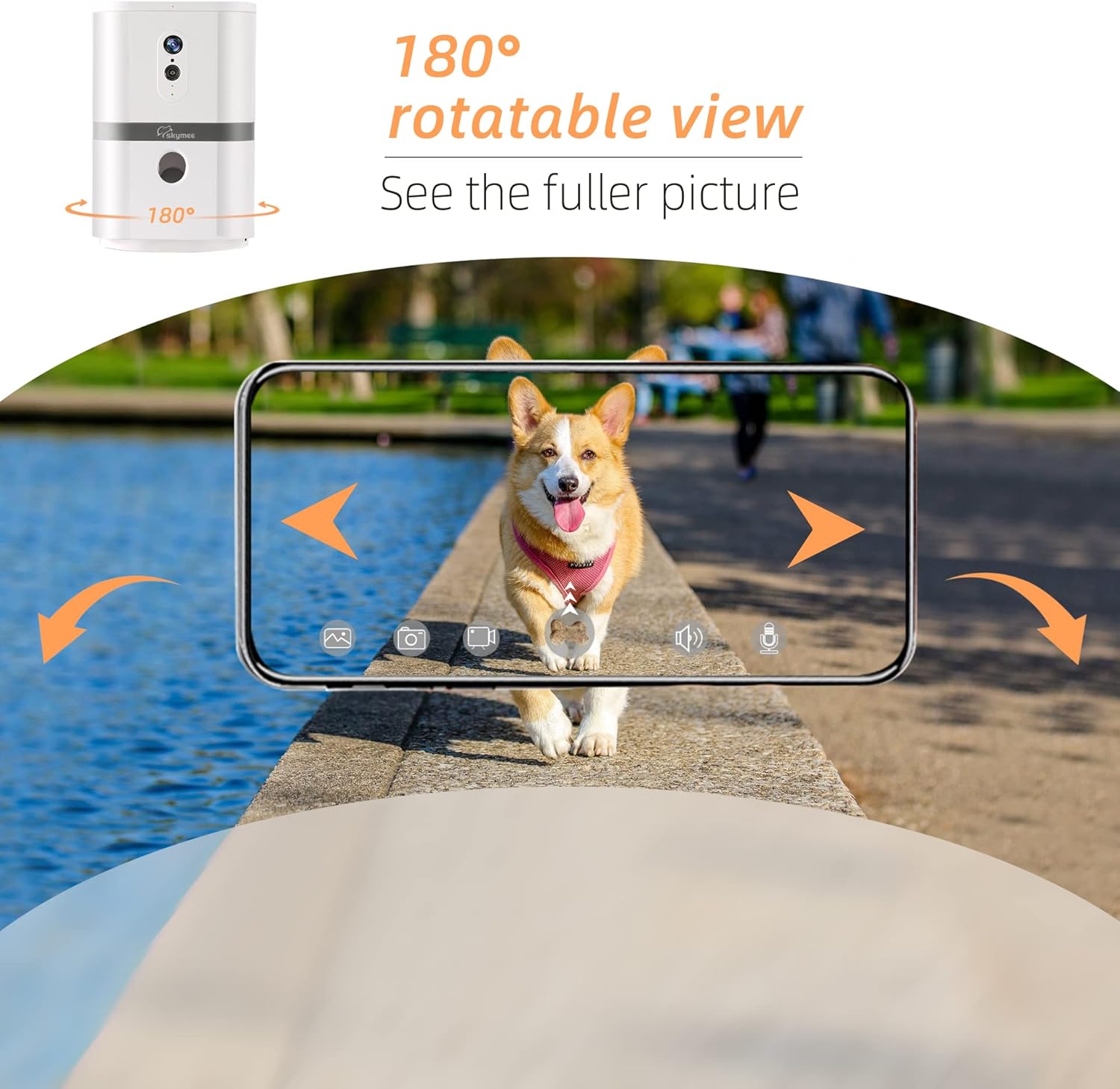
The SKYMEE Petalk AI II provides a wide-angle view, allowing you to see more of your room at once. Paired with the high-definition video, you can clearly see what your pet is up to. The Skymee pet camera offers 130° wide-angle view, ensuring comprehensive home coverage.
Interactive Features for Your Canine Companion
The SKYMEE Petalk AI II isn’t just about watching your dog; it’s about interacting with them, even when you’re not home. These features are designed to keep your furry friend engaged and happy, turning potentially lonely hours into fun, stimulating experiences.
Two-Way Audio Communication with Your Dog
Ever wonder what your dog is thinking? With the two-way audio feature, you can now have a conversation (of sorts!). This allows you to hear what’s going on at home and speak to your dog in real-time. Maybe they’re barking at the mailman, or perhaps they just need a little reassurance. Hearing your voice can significantly reduce anxiety and provide comfort. It’s like a virtual hug through technology. I use it to tell my dog to get off the couch when I see him misbehaving on the Furbo 360.
Engaging Treat Tossing Mechanism
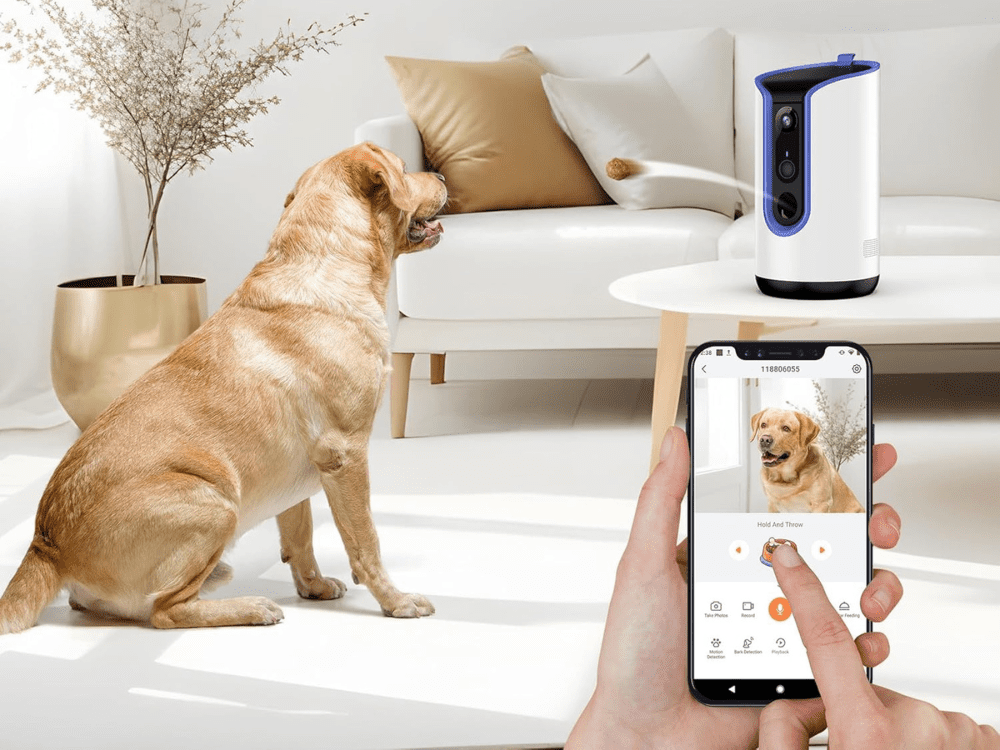
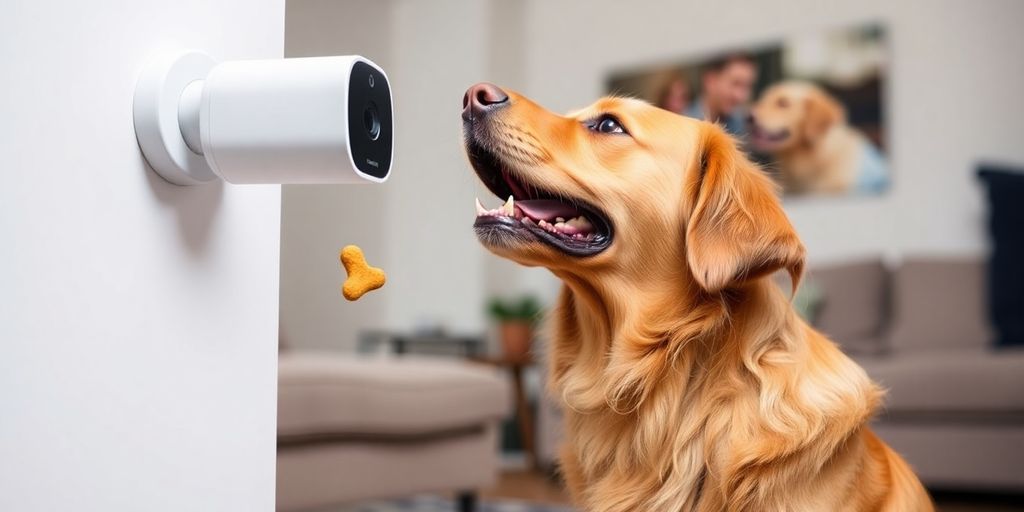
What dog doesn’t love treats? The Petalk AI II features a treat-tossing mechanism that lets you reward your dog remotely. You can launch a treat across the room with a tap on your smartphone. It’s a fun way to reinforce good behavior or simply add some excitement to their day.
Here’s a quick guide to treat tossing:
- Open the app.
- Select the treat-toss option.
- Adjust the launch distance (if available).
- Watch your dog’s tail wag!
Keeping Your Dog Calm with Your Voice
Sometimes, all your dog needs is to hear your voice. Whether they’re scared by a thunderstorm or just feeling a little lonely, the sound of your voice can be incredibly soothing. The Petalk AI II allows you to speak to your dog, offering reassurance and helping them stay calm. It’s a simple yet powerful way to maintain a strong connection, even from miles away. It’s more than just a dog camera, it’s a communication device.
I’ve found that even a few words of encouragement can make a big difference in my dog’s demeanor when I’m not around. It’s like I’m there with him, offering support and love, even from a distance. It really helps with his separation anxiety.
Seamless Integration and Connectivity
WiFi Connectivity for Remote Access
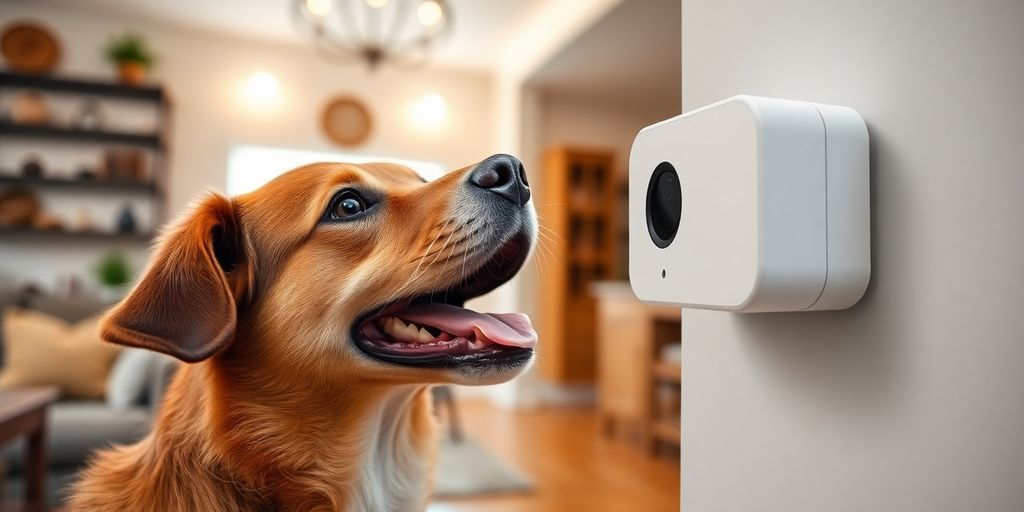
Getting the SKYMEE Petalk AI II online is pretty straightforward. It uses WiFi to connect to your home network, which means you can check on your dog from anywhere using your smartphone. This remote access is super handy when you’re at work or traveling. Just make sure you have a stable internet connection at home for the best experience. If you’re having trouble, double-check your WiFi settings to make sure everything is correct.
Compatibility with Smart Home Devices
While the SKYMEE Petalk AI II doesn’t directly integrate with every smart home platform out there, it plays nice with some. You can often use voice assistants on your phone to access basic functions. It’s not a full-blown smart home hub, but it adds a bit of convenience to your existing setup.
Easy Setup for Your Dog Treat Dispensing Camera
Setting up the SKYMEE Petalk AI II is designed to be simple. Here’s a quick rundown:
- Download the SKYMEE app on your phone.
- Create an account and log in.
- Follow the in-app instructions to connect the camera to your WiFi.
The whole process should only take a few minutes. The app walks you through each step, so you don’t need to be a tech expert. Once it’s connected, you’re ready to start monitoring and treating your furry friend.
Monitoring Your Pet Day and Night
Crystal Clear Night Vision Capabilities
Let’s be real, a lot happens when the lights go out. With the SKYMEE Petalk AI II, you don’t have to wonder what your furry friend is up to after dark. Its night vision is designed to provide a clear view, even in low-light conditions. This means you can check in on your dog without disturbing their sleep. It’s like having a pair of night-vision goggles, but for your pet!
Motion Detection for Real-Time Alerts
Ever wonder if your dog is actually sleeping while you’re gone, or if they’re staging a full-blown toy rebellion? The SKYMEE camera’s motion detection feature sends alerts straight to your phone whenever it detects movement. This is super useful for knowing if your dog is getting into something they shouldn’t, or if they’re just restless.
Here’s what you can expect from the motion detection feature:
- Customizable sensitivity settings
- Real-time notifications to your smartphone
- Ability to review recorded footage triggered by motion
Understanding Your Dog’s Behavior
Beyond just seeing what your dog is doing, the SKYMEE Petalk AI II can help you understand why they’re doing it. By reviewing the footage captured throughout the day and night, you can start to identify patterns in your dog’s behavior. Are they more anxious at certain times? Do they sleep better with a particular toy? This information can be invaluable for addressing any underlying issues and improving your dog’s overall well-being. You can even compare it to other dog cameras to see if the features are better.
Understanding your dog’s behavior is key to providing them with the best possible care. By observing their habits and routines, you can identify potential problems and make adjustments to their environment or routine to improve their comfort and happiness.
Treat Management and Dispensing Fun
Optimal Treat Size for the Dog Treat Dispensing Camera
Getting the right treat size is actually pretty important. Too big, and the dispenser might jam. Too small, and your dog might not even notice it! The SKYMEE Petalk AI II is designed to work best with small, dry treats, usually around the size of a pea or a small kibble. It’s a good idea to experiment a little to see what your dog likes and what works best with the treat dispensing mechanism. You don’t want to end up with a pile of rejected treats, or worse, a broken camera.
Capacity for Ample Treat Storage
Nobody wants to refill the treat dispenser every five minutes. The SKYMEE Petalk AI II has a decent-sized treat compartment, so you can fill it up and not worry about it for a while. The exact capacity depends on the size of the treats you’re using, but it’s generally enough for several days’ worth of rewarding your furry friend. I usually check it every couple of days just to be sure, especially if I’ve been extra generous with the treats.
Making Alone Time a Paw-ty with Treats
Okay, so you’re at work, and your dog is home alone. Instead of just feeling guilty, you can turn that alone time into a mini-celebration! The SKYMEE Petalk AI II lets you remotely dispense treats, so your dog gets a little surprise and a reminder that you’re thinking of them. It’s not just about the treats, though. It’s about breaking up the monotony of the day and giving your dog something to look forward to.
It’s like sending a little ‘thinking of you’ gift, but in the form of deliciousness. Plus, it can help with separation anxiety, because your dog learns that even when you’re not there, good things can still happen.
Here are some ideas to make alone time fun:
- Set a schedule for treat dispensing throughout the day.
- Use the two-way audio to talk to your dog while you dispense a treat.
- Play a game of ‘find the treat’ by dispensing it in different locations (if your dog has access to multiple rooms).
Benefits of a Dog Treat Dispensing Camera
Enhanced Pet-Parent Connection
A dog treat dispensing camera strengthens the bond between you and your furry friend, even when you’re physically apart. It’s more than just a gadget; it’s a way to stay connected. You can see them, talk to them, and even give them a treat, all from your phone. It’s like being there without actually being there. The 1080p full HD camera lets you keep a close eye on your pet.
Alleviating Separation Anxiety in Dogs
Does your dog get anxious when you leave? A treat dispensing camera can help. The ability to interact with your dog remotely can ease their anxiety. Hearing your voice and getting a surprise treat can make their alone time less stressful. It’s a simple way to make a big difference in their day. It’s not a replacement for proper training or addressing underlying issues, but it can be a helpful tool.
Leaving your dog alone can be tough, but knowing you can check in and offer a little something to brighten their day makes it easier. It’s about providing comfort and reassurance when you can’t be there in person.
Rewarding Good Behavior Remotely
Training your dog is an ongoing process, and a treat dispensing camera can be a valuable tool. You can reward good behavior even when you’re not home. See your dog being calm and quiet? Toss them a treat! It reinforces positive actions and helps them learn what you expect. It’s a fun and effective way to train from afar.
Here’s a simple example of how you might use it:
- See your dog lying quietly on their bed: Dispense a treat.
- Notice your dog not barking at the mailman: Dispense a treat.
- Catch your dog playing nicely with their toys: Dispense a treat.
Choosing the Right Dog Treat Dispensing Camera
Comparing the SKYMEE Petalk AI II to Other Models
When you’re trying to find the right dog treat camera, it’s a good idea to see how the SKYMEE Petalk AI II stacks up against other options. Some cameras might have better video quality, while others could have a larger treat capacity. Consider what features are most important to you and your dog. For example, the Eufy Indoor Cam C120 is a great option.
Factors to Consider Before Purchase
Before you buy, think about a few things:
- Video quality: Do you need crystal-clear HD, or is standard definition okay?
- Treat capacity: How often do you want to refill the treats?
- Two-way audio: Is it important to be able to talk to your dog?
- Night vision: Will you be using the camera mostly at night?
- App integration: Is the app easy to use and reliable?
It’s also worth reading reviews from other dog owners to see what their experiences have been. This can give you a better idea of the pros and cons of each camera.
Maximizing the Value of Your Dog Treat Dispensing Camera
To really get the most out of your dog treat camera, think about how you can use it to improve your dog’s life. Use it for positive reinforcement training, to reward good behavior when you’re not home. Set up a schedule for treat dispensing, so your dog has something to look forward to. And don’t forget to use the two-way audio to check in and offer reassurance when your dog seems anxious. With a little planning, your dog treat camera can be a valuable tool for keeping your furry friend happy and healthy.
Conclusion: Is the SKYMEE Petalk AI II Right for You?
So, after looking at everything, the SKYMEE Petalk AI II seems like a pretty good option for keeping an eye on your dog and giving them treats when you’re not home. It’s got the camera, the two-way audio, and it tosses treats, which is a fun touch. While it might not be the fanciest one out there, it does what it says it will. If you’re looking for a straightforward way to check in on your furry friend and make their day a little better with a snack, this one could definitely work for you. It’s a solid choice for everyday pet parents.
Frequently Asked Questions
What kind of camera does the SKYMEE Petalk AI II have?
The SKYMEE Petalk AI II has a super clear 1080p Full HD camera. It also has a special wide-angle lens, so you can see a lot of your room at once. Plus, it has night vision, so you can check on your dog even when it’s dark.
Can I talk to my dog through the camera?
Yes, it does! The SKYMEE Petalk AI II has two-way audio. This means you can talk to your dog through the camera, and you can also hear what’s happening in your home. It’s a great way to say hello or calm your dog down.
What kind of treats can I use with this camera?
The camera works with treats that are between 0.6cm and 1.1cm in size. It’s best to use small, dry, and round treats. The device can hold a good amount of treats, so you won’t have to fill it up all the time.
How does the camera connect to my phone?
The SKYMEE Petalk AI II connects to your home’s Wi-Fi. This lets you control it from anywhere using an app on your phone. You can toss treats, talk to your dog, and watch them live, even when you’re not home.
Does it tell me when my dog is moving?
Yes, it has a motion detection feature. This means the camera can tell when your dog is moving around. It will send an alert to your phone so you know what your dog is up to, whether they’re playing or just waking up.
How can this camera help my dog when I’m not home?
Using a treat-dispensing camera like the SKYMEE Petalk AI II can really help your dog feel less lonely when you’re gone. You can give them treats and talk to them, which makes them feel like you’re still nearby. It’s a great way to keep them happy and entertained.